Anyone who has experimented with AI image generation in a professional creative workflow has likely encountered the same roadblock. After carefully refining prompts, adjusting visual details, and finally producing the perfect character, the next step seems simple: place that character in a new scene or pose. Yet the result often looks less like the original and more like a distant cousin.
That inconsistency has long been one of generative AI’s biggest weaknesses. For designers, illustrators, animators, and marketers who rely on visual continuity, it has been a major obstacle preventing AI from becoming a dependable tool for storyboards, campaign mockups, comics, and other client-facing projects.
Adobe now believes it has found a solution.
During a press briefing this week, the company unveiled a range of new capabilities across Firefly and Creative Cloud—its second major batch of announcements in just a few days. Among all the updates, one feature stood out: Elements. The new system allows creators to define characters, locations, and objects once, then reuse them consistently across future image and video generations.
Making Carla stay the same
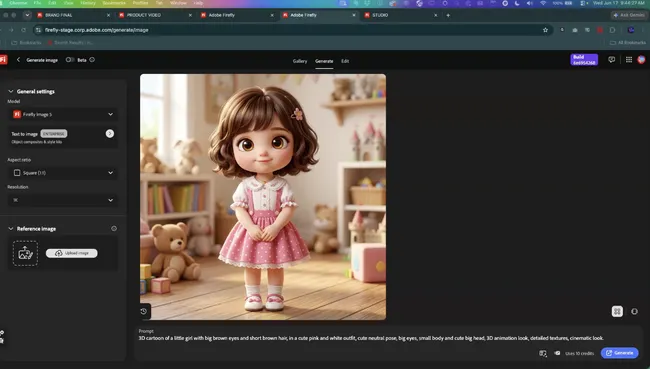
In a live demonstration, Paul Trani, Adobe’s Senior Creative Cloud Evangelist, introduced journalists to Carla—a 3D-animated girl with brown hair and a pink dress generated in Firefly from a single text prompt. Using Elements, Carla could be saved as a reusable reference, enabling her appearance to remain consistent across different scenes, camera angles, and poses.
Trani demonstrated the feature by instantly placing Carla into a bedroom setting alongside what he described as a “fun, cute little alien cat,” relying on little more than her name and a brief prompt. Acknowledging ongoing skepticism around using generative AI in finished creative projects, he added with a smile, “I’m doing this for my girlfriend’s niece.”
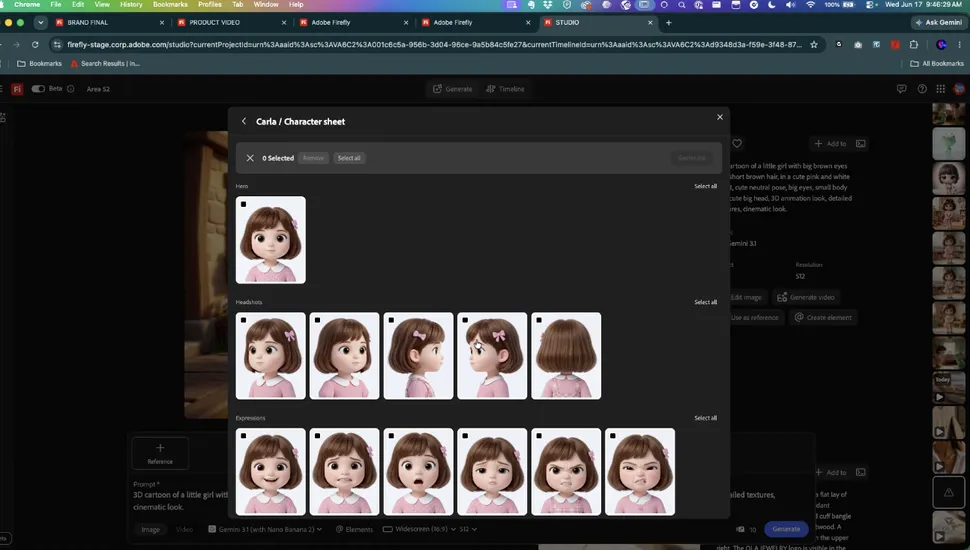
Alongside Elements, Adobe is introducing Projects, a new organizational framework that keeps generations, assets, and creative context connected in a single workspace. Together, the two features are designed to help creators build longer narratives, campaigns, or visual projects without losing track of their characters, environments, or creative direction.
According to Deepa Subramaniam, Adobe’s Vice President of Product Marketing for Creative Professionals, both features represent a foundational shift. “This is how you get consistency in your generations, whether you’re generating images, videos, or both,” she explained. Elements and Projects are currently available through a private beta program.
The AI assistant expands across Creative Cloud
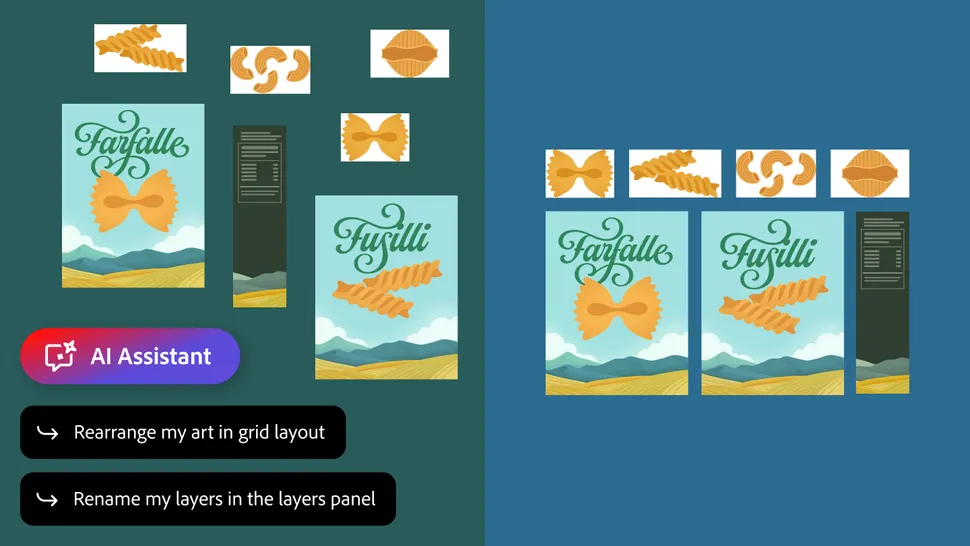
Another major announcement centers on the public beta rollout of Adobe’s AI Assistant across Premiere, Photoshop, Illustrator, InDesign, and Frame.io, while support for After Effects is entering private beta.
Rather than introducing a one-size-fits-all chatbot, Adobe has tailored the assistant to each application’s specific workflow and challenges.
During the presentation, Trani showcased the Premiere version by giving it a project that was thoroughly disorganized—a scenario familiar to many editors and filmmakers. The assistant automatically analyzed footage, assigned meaningful file names, organized assets into folders, and even synchronized multi-camera recordings into a unified sequence.
Photoshop received its own practical demonstration. There, the assistant reviewed a design file and spotted a factual mistake, identifying that June 17 fell on a Wednesday rather than a Thursday.
Illustrator’s integration focused on automation. Trani showed how the AI could duplicate a circle 100 times while varying placement, color, and scale according to predefined rules. “Could you imagine doing that yourself?” he asked.
The Illustrator assistant is also capable of generating dozens of design variations from spreadsheet data and conducting preflight inspections that identify issues such as missing fonts or incorrect color modes before a project reaches print.

In a blog post accompanying the announcements, Subramaniam emphasized Adobe’s guiding philosophy behind these tools.
“Creatives remain in control, choosing what to hand off, what to refine and how to apply your taste, expertise and judgment to shape every editable outcome,” she wrote. “These tools are built for how you’ve told us you actually work.”
The message aligns with findings from Adobe’s Creators’ Toolkit Report, which surveyed more than 16,000 creators worldwide. While 75% of respondents said AI is already integrated into or essential to their workflow, 85% maintained that final creative decisions should always remain in human hands.
New AI tools for creators and businesses
Adobe also revealed additional agentic capabilities within the Firefly AI Assistant, aimed particularly at content creators, entrepreneurs, and smaller businesses.
New features include automated brand kit creation, short-form product video generation, Quick Cut for assembling footage automatically, and Storyboards, a tool designed to help users organize ideas before turning them into video content.
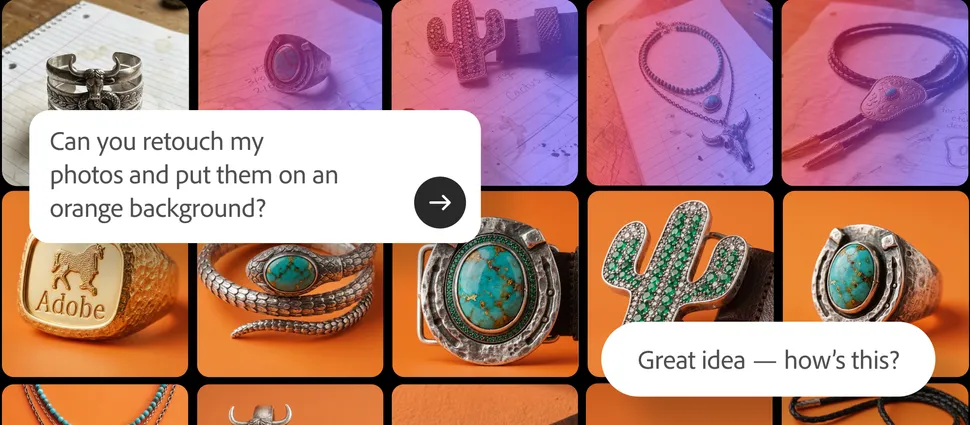
One demonstration focused on building a brand identity for a fictional jewelry company called Ola Jewelry. Trani instructed the assistant to create a brand package, after which the system asked a series of questions about target audiences and visual style before generating logo concepts, color palettes, and typography recommendations.
All outputs remained fully editable and could be exported as vector graphics. Trani humorously remarked, “Where’s your vector of the logo?”—a playful nod to countless small business owners who discover their only logo file is a low-resolution JPEG.
Bringing Adobe tools into everyday workflows
Adobe’s final announcement focused on accessibility. The company confirmed that its creative agent is now available within ChatGPT, Claude, Copilot, and Slack, with support for Gemini expected in the near future.
The strategy is straightforward: rather than forcing users to switch platforms or interrupt their workflow, Adobe wants its creative tools to meet professionals where they already spend their time.
As AI continues to reshape creative industries, Adobe’s latest updates suggest the company is focused less on replacing creators and more on removing repetitive friction—from maintaining character consistency to organizing assets and streamlining production. Whether those ambitions deliver on their promise remains to be seen, but the company is clearly betting that the future of creative work will be built on collaboration between human expertise and increasingly capable AI systems.