Many designers are exploring alternatives to Adobe Illustrator these days, and the reasons are easy to understand. Subscription fees continue to climb, feature sets grow increasingly complex, and Adobe’s expanding collection of AI-powered tools doesn’t appeal to everyone.
That’s not to say Illustrator has lost its edge—it remains one of the most powerful vector design applications available. However, it is no longer the uncontested choice it once was. Whether you’re seeking a one-time purchase instead of a recurring subscription, a cleaner interface, stronger collaboration tools, or software tailored to UI design, today’s market offers a wealth of capable alternatives. In some cases, they may even streamline workflows more effectively than Illustrator itself.
This guide highlights the strongest Illustrator alternatives currently available, ranging from professional-grade design suites to free, open-source solutions. For those looking for the closest match to Adobe’s flagship vector editor, Affinity Designer remains the standout choice. If cost is your primary concern, Inkscape continues to lead the open-source category. Beyond those, several options cater to specialized workflows and different levels of expertise.
Best Adobe Illustrator alternative: quick comparison
Tool | Price | Best for | Key strength | Weakness |
Affinity Designer | One-off purchase | Professional illustration | Fast, hybrid vector + raster workflow | No ecosystem like Adobe |
Figma | Freemium (subscription tiers) | UI/UX + collaboration | Real-time teamwork, cloud-based | Limited print / CMYK support |
Inkscape | Free (open source) | Students / budget users | Clean interface, prototyping | Mac-only, not full illustration tool |
CorelDRAW | Subscription or one-off | Traditional design, print | Mature feature set, strong file support | Expensive |
Sketch | Subscription | UI/UX design | Powerful and flexible for free | Can be slow, UI less polished |
Best Adobe Illustrator alternative overall
01. Affinity Designer
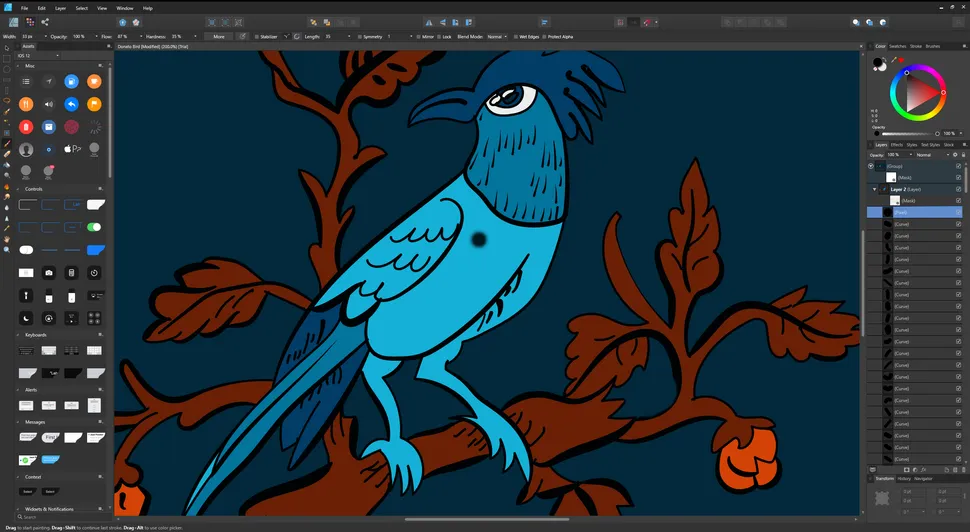
A professional-grade vector editor packed with advanced capabilities.
Among all Illustrator alternatives, Affinity Designer stands out as the most complete all-around replacement. Since its debut in 2014, it has steadily matured into a serious competitor, combining robust functionality with a pricing model that many creatives find far more attractive. Instead of a monthly subscription, users pay once—$69.99 for desktop or $18.49 for iPad—and own the software outright.
Freed from decades of legacy code, Affinity Designer often delivers a noticeably faster experience, particularly on macOS, where its performance helped earn it an Apple Design Award. Compatibility is rarely a concern either, as the software can import and export AI and PSD files alongside numerous other industry-standard formats.
Affinity Designer 2 brings an impressive collection of professional tools. Users can switch seamlessly between vector and pixel editing within a single workspace, zoom in up to an astonishing 1,000,000%, and access up to 8,000 undo actions complete with saved history states. Specialized features such as the Area Tool for measuring irregular forms and the Contour Tool for creating dynamic path offsets further enhance its versatility. Recent updates have added variable font support, advanced spiral creation tools, and a Stroke Width editor for fine-tuning pressure-sensitive lines.
One particularly valuable benefit for professionals is Affinity Designer’s inclusion of full Pantone color libraries at no additional charge. Adobe users, by comparison, now require a separate Pantone Connect subscription. On iPad, the software delivers the complete feature set, optimized for touch controls and Apple Pencil support, creating a genuinely professional mobile design environment.
Although Illustrator still maintains advantages in areas such as pattern generation and symmetry tools, Affinity Designer has firmly established itself as a powerful alternative that continues to evolve with each update.
02. Figma
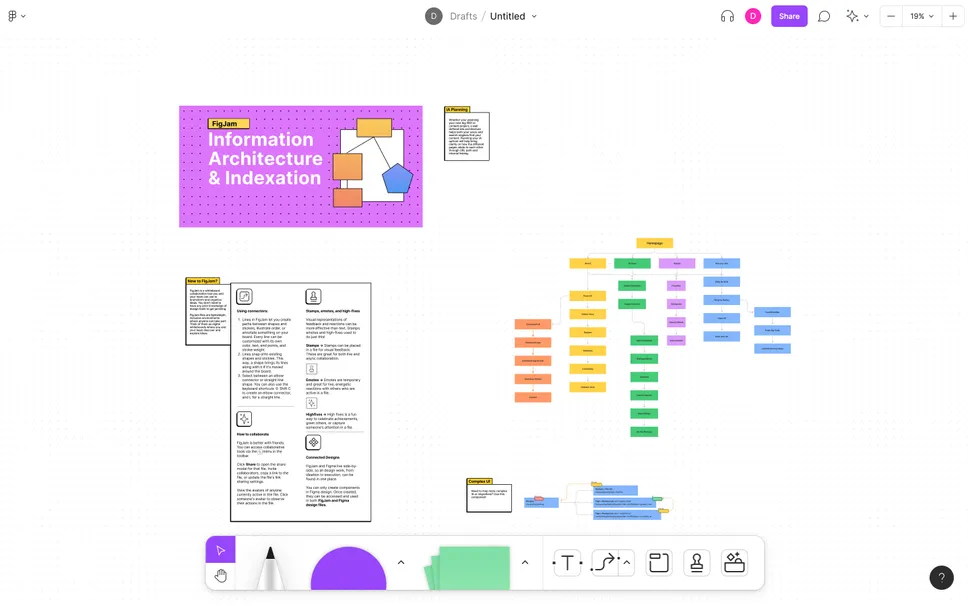
The leading choice for UI design and digital products.
By 2025, Figma had cemented its position as the dominant platform for interface and product design. Its success stems from a powerful combination of collaboration features, intuitive workflows, and accessibility through both web browsers and desktop applications.
Figma excels in screen-based projects, including websites, mobile applications, and digital interfaces. Teams can collaborate in real time, making edits, reviewing designs, and building prototypes simultaneously without interrupting one another’s work.
A major update released in April 2025 introduced AI-powered image editing capabilities, enabling users to modify backgrounds and reposition objects using simple text instructions. Additional highlights include Auto Layout for responsive design systems, integrated prototyping tools, and developer handoff features that generate code snippets for web, iOS, and Android platforms. FigJam, Figma’s collaborative whiteboarding environment, further enhances brainstorming and planning sessions.
The platform’s freemium pricing structure remains one of its strongest advantages. Individual users and smaller teams can accomplish a great deal without paying, while premium plans unlock advanced collaboration features, shared libraries, and administrative controls.
Figma lacks CMYK support and advanced illustration functionality, preventing it from fully replacing Illustrator or InDesign. Nevertheless, for digital-first designers working in collaborative environments, it remains one of the most compelling options available.
03. CorelDRAW
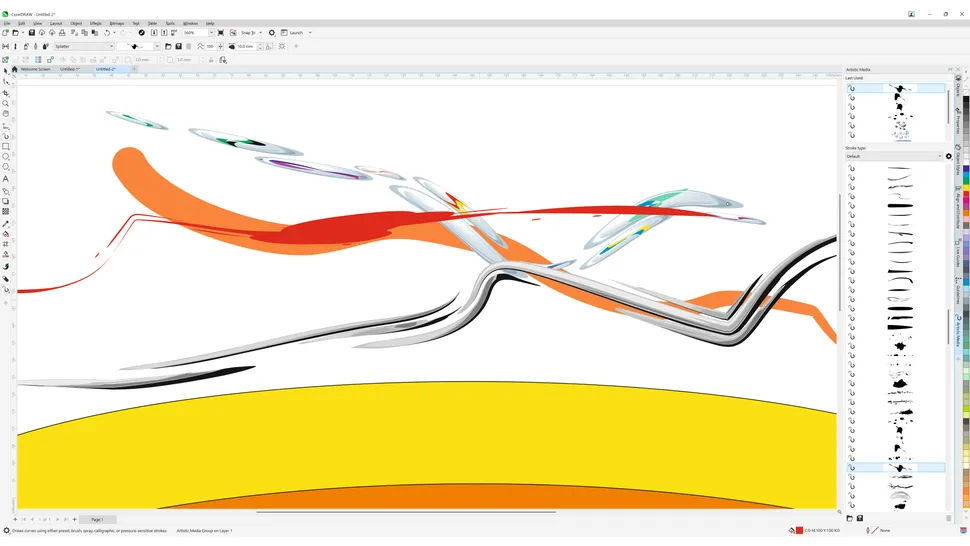
A veteran design suite that continues to attract loyal users.
Designers searching for flexibility in licensing often find CorelDRAW Graphics Suite appealing. With both subscription and perpetual-license options available, it offers a refreshing alternative to Adobe’s subscription-only ecosystem.
Having been around since 1989, CorelDRAW brings decades of refinement to vector illustration. Its intuitive drawing tools, intelligent shape recognition, and natural media brushes make creating artwork feel fluid and responsive. The suite also includes Photo-Paint, which handles image editing tasks competently, though it doesn’t quite match Photoshop’s depth, particularly in advanced photo processing.
Available for both Windows and macOS, CorelDRAW includes helpful onboarding features such as built-in tutorials and the adaptive Learn Docker panel, making it easier for newcomers to get up to speed. Broad file compatibility and strong export capabilities further enhance its appeal.
While it may not be leading the charge in AI-powered innovation, CorelDRAW remains a dependable and capable creative toolkit, especially for users who prefer a one-time investment.
Best free Adobe Illustrator alternative
04. Inkscape
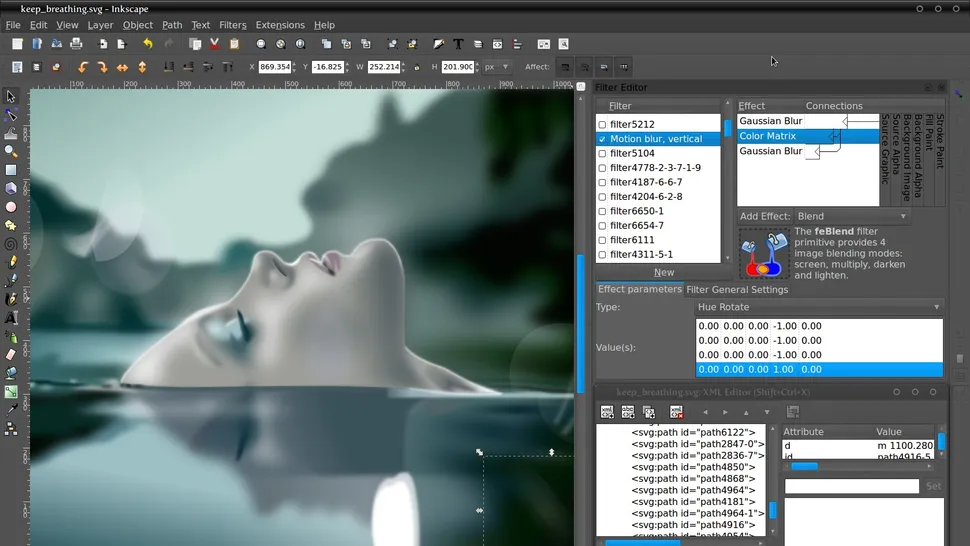
The strongest no-cost option for vector design.
For designers unwilling or unable to pay for vector software, Inkscape remains the clear leader. This open-source application uses SVG as its native format and manages to deliver impressive capabilities despite being completely free.
Recent releases, including versions 1.3 and 1.4, have significantly improved both performance and usability. Large projects run more smoothly, while the addition of a Shape Builder Tool has made combining and editing forms far more intuitive.
New enhancements include a searchable Filter Gallery, upgraded filter controls for effects such as watercolor styling, and a Modular Grid system that allows for more accurate layouts. Color management has also improved through a redesigned Swatches panel, while upgrades to the Trace Bitmap feature make converting raster images into vectors more efficient.
Inkscape supports an extensive range of formats, including SVG, PDF, EPS, AI, and CDR, and is available across Windows, macOS, and Linux.
Performance can still slow when handling especially large or complex files, but considering the price tag—or lack thereof—it remains one of the most impressive vector design tools available. For students, hobbyists, and newcomers to digital illustration, it offers exceptional value.
Best Adobe Illustrator alternative for Mac users
05. Sketch
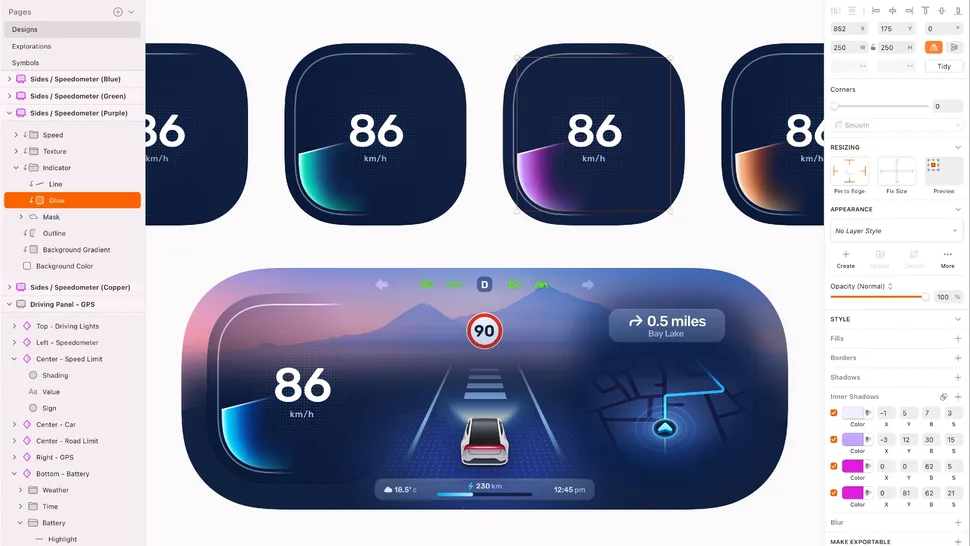
An excellent option for interface design and prototyping.
Mac users looking for a dedicated design environment should give Sketch serious consideration. Since its launch in 2010, the platform has become a favorite among UI and UX professionals thanks to its streamlined workflow, polished interface, and deep integration with Apple’s ecosystem.
Built exclusively for macOS, Sketch is particularly effective for designing websites, mobile applications, and digital interfaces from early wireframes through final handoff. Native support for Apple Silicon ensures excellent performance on modern hardware.
Pricing is straightforward, with plans available for individuals, teams, and educational users. The standard subscription includes both the desktop application and browser-based collaboration tools, while larger organizations can opt for business-tier plans featuring expanded cloud storage and dedicated support.
Although Sketch may not enjoy the same market dominance as Figma or the broad ecosystem offered by Adobe, it compensates with speed, simplicity, and a distinctly Mac-focused user experience. For Apple-centric workflows, it remains a highly capable solution.
What you give up when leaving Illustrator
Before abandoning Illustrator entirely, it’s worth considering the benefits you leave behind.
One of Adobe’s greatest strengths remains the seamless integration of Creative Cloud applications. Changes made to Illustrator files can automatically update across compatible Adobe programs, creating a connected workflow that few competitors can fully match.
Users also gain access to a library of more than 20,000 licensed fonts, along with a growing collection of AI-enhanced features designed to accelerate creative work. Tools such as Image Trace can transform sketches and photographs into clean vector artwork, while Global Edit allows modifications across dozens of artboards simultaneously.
Adobe Firefly introduces additional AI-powered capabilities, including Text to Vector Graphic generation, Generative Recolor, and Retype, all designed to streamline production workflows and reduce repetitive tasks.
Ironically, however, these same AI tools are among the reasons many creatives are now exploring alternatives.
Best Adobe Illustrator alternatives: Frequently asked questions
What is the best alternative to Adobe Illustrator?
Affinity Designer takes the top spot as the most complete Illustrator replacement currently available. It offers a rich set of professional features, supports Pantone color libraries without extra fees, and operates under a one-time purchase model rather than a recurring subscription.
For UI and digital product designers, Figma remains an excellent choice, while Inkscape is the strongest option for users seeking a free solution and willing to accept a few compromises.
Is Inkscape better than Illustrator?
In most professional scenarios, Illustrator remains the more capable application. Adobe’s software offers a broader toolset, deeper integrations, and increasingly sophisticated AI-driven functionality.
That said, Inkscape covers many of the fundamentals remarkably well. Its drawing tools, brushes, shape creation features, and vector-editing capabilities make it perfectly suitable for a wide range of projects. It also runs comfortably on less powerful hardware, making it accessible to users without high-end systems.
For beginners and casual designers, Inkscape often provides everything needed to learn vector design and create quality artwork. Illustrator, meanwhile, remains geared toward professionals who require a comprehensive, industry-level toolkit.