VSCO has introduced Studio Pro, its next-generation professional editing experience, now available on iOS, with a macOS release planned for later this year.
The initial iPhone version is aimed at high-volume photographers working across weddings, portraits, events, sports, school photography, and other large-scale shoots. Rather than focusing on single-image edits, Studio Pro is designed to streamline batch workflows, helping photographers maintain a consistent, repeatable style across large sets of images.
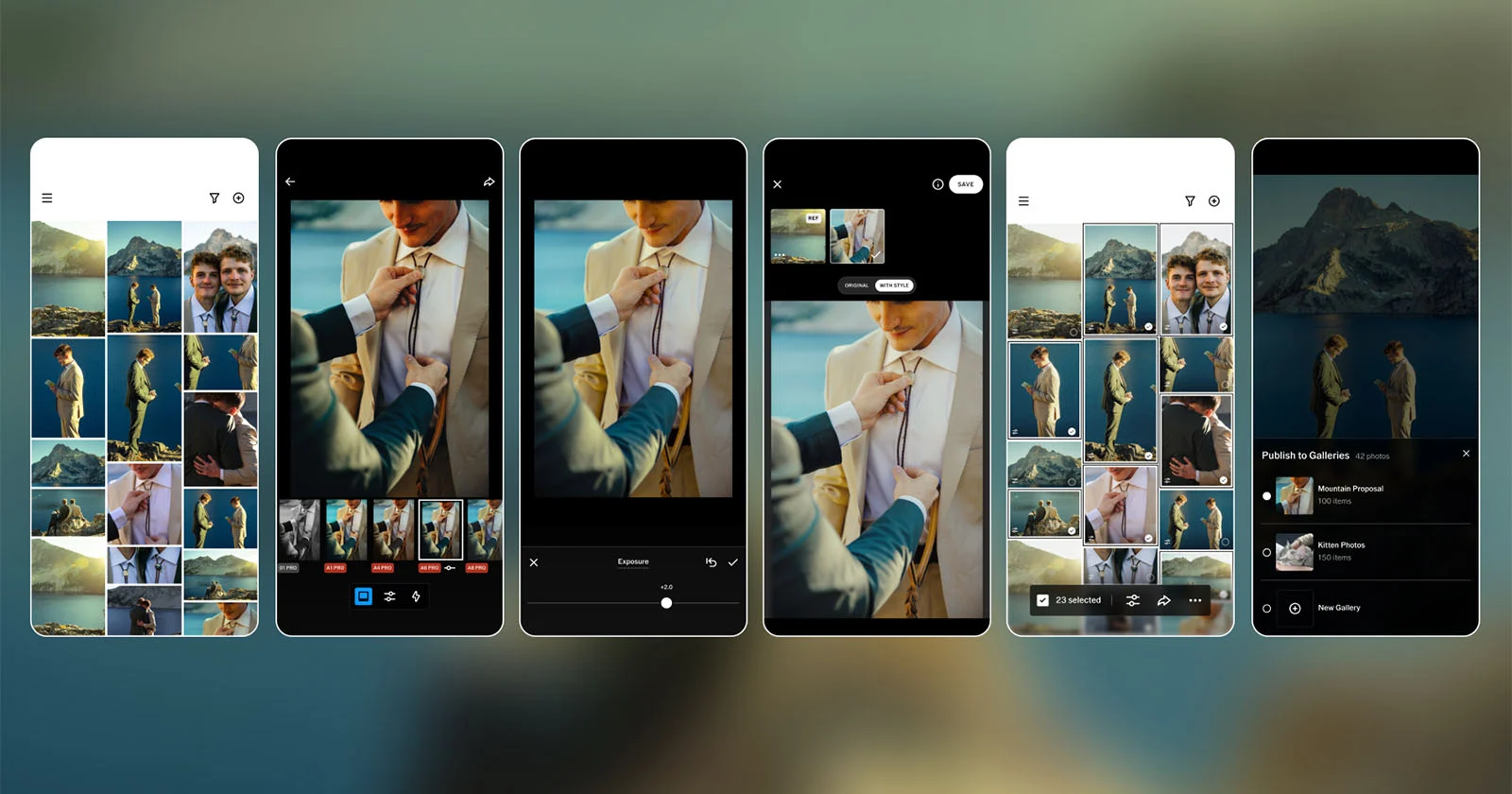
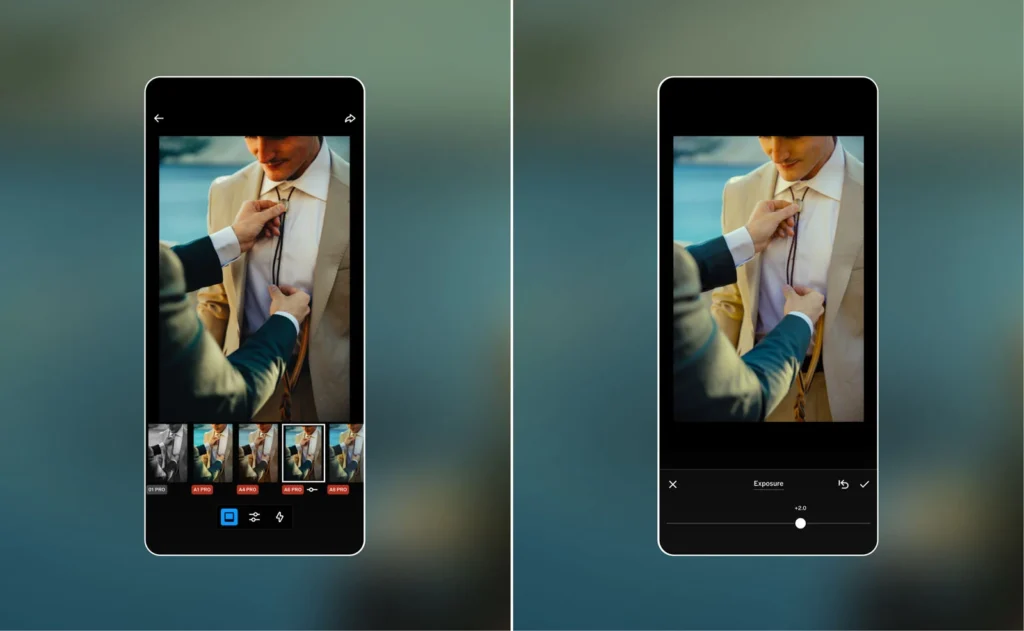
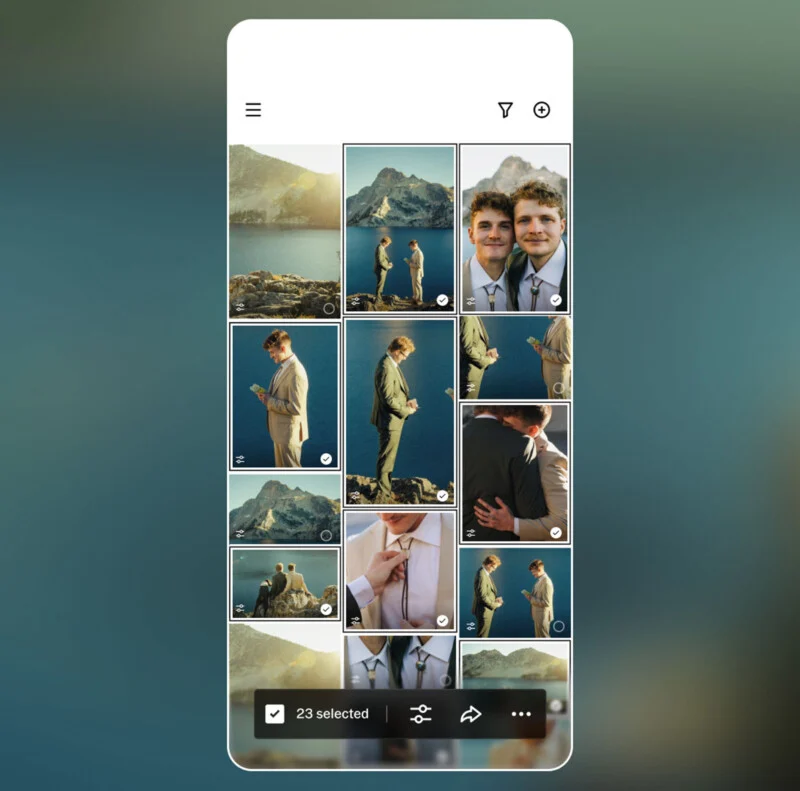
At launch, the app allows users to edit up to 100 photos at once, supported by more than 200 VSCO presets alongside a suite of professional-grade manual controls. These include adjustments for exposure, contrast, film grain, white balance, tone, sharpening, and more—giving photographers both speed and precision in a single workflow.
VSCO says the tool is designed to reduce the heavy time burden of post-production. Professional photographers often spend hours applying repetitive edits across hundreds or even thousands of images after a shoot, and traditional workflows typically require image-by-image adjustments. Studio Pro is positioned as a response to that inefficiency, bringing speed back into the editing process without sacrificing creative control.
Batch editing and AI-powered style matching
The current iOS release supports batch editing for large volumes of selects, along with the ability to match an entire set of images to a reference photo. Users can also share finished collections directly with clients through VSCO Galleries.
One of the standout features at launch is AI-powered Style Match. This allows photographers to take an already edited image—or an inspirational reference—and apply its color, tone, and overall mood to a batch of photos. The system then adapts those visual characteristics across the selected set, helping maintain a cohesive aesthetic throughout a shoot.
A workflow-focused approach to professional editing
VSCO argues that many photo editing tools force photographers into a trade-off between speed and quality, particularly on mobile devices where workflow features are often limited. Studio Pro is designed to close that gap by combining professional-grade controls with batch processing tools that scale to demanding workloads.
According to the company, the goal is simple: to deliver a workflow fast enough to match the pace of professional shooting while still preserving creative intent. “Studio Pro combines professional quality, full manual controls, and batch editing in a workflow fast enough to keep up with your ambition,” VSCO explains.
What’s still to come
While the iOS launch already includes batch editing and AI-assisted styling, several advanced features are still in development. These include RAW file support, memory card importing, auto-leveling, curve adjustments, enhanced export options, and deeper organizational tools such as culling and star ratings.
VSCO also plans to expand Studio Pro with macOS support, profile integration, and faster publishing tools in future updates.
Availability
Studio Pro is currently available on iOS for free, though access to the full suite of presets and professional features requires a VSCO subscription.